The best USB microphones under 100 range from simple desk mics to kits with boom arms and models that also support XLR. Choose by how you record: solo speech, multiple voices, gaming, or a setup you may expand later.
Quick Top Products
Samson Q2U Dynamic USB-C/XLR Microphone

- Offers both USB-C and XLR connections.
- Connects directly to a computer with USB-C.
- Includes a desktop tripod, windscreen, and both cables.
Best For: Podcasters who want a handheld dynamic mic and both USB-C and XLR connections.

FIFINE AmpliTank K688
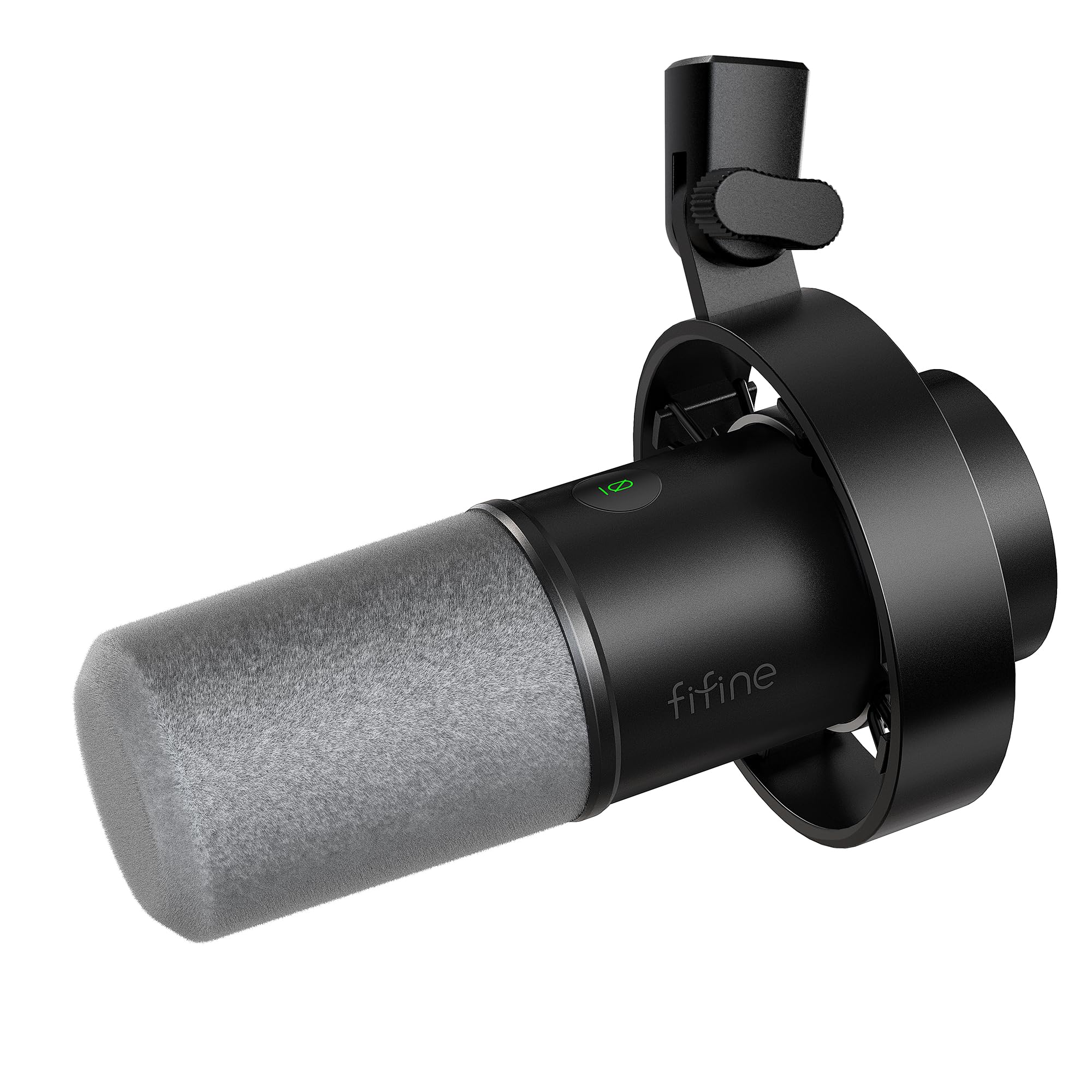
- Supports USB and XLR connections.
- Includes tap-to-mute, gain, and headphone monitoring controls for USB use.
- Includes a shock mount and windscreen, but no stand.
Best For: Close-mic speakers who want USB convenience, XLR flexibility, and headphone monitoring.
MAONO PD200XS
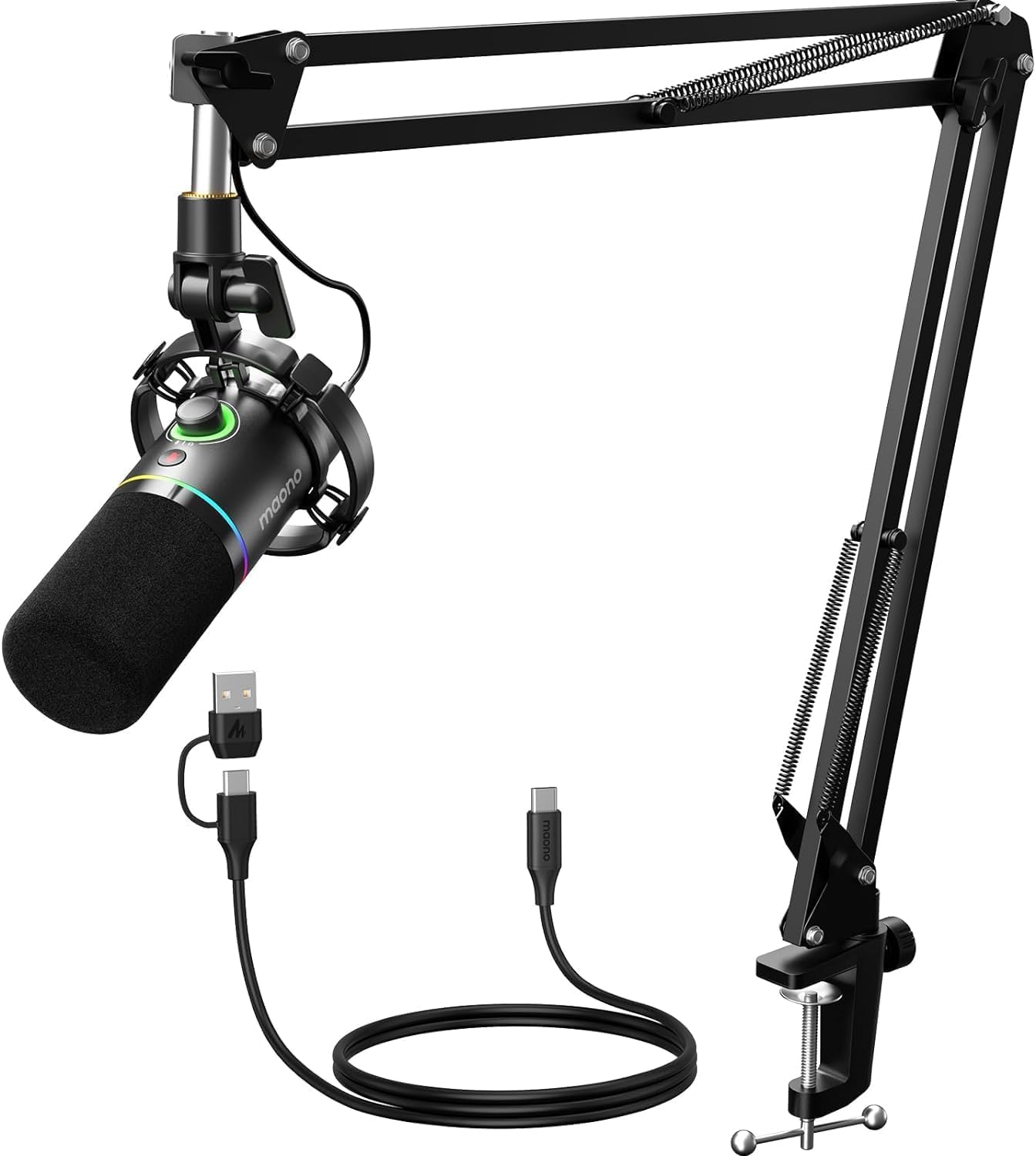
- Uses a dynamic capsule with USB and XLR interfaces.
- USB software supports EQ, limiter, and compressor adjustment.
- Includes a boom arm, shock mount, and USB cable; XLR cable is not included.
Best For: Streamers and podcasters who want a dynamic mic, boom arm, and USB software adjustments.
FIFINE AmpliGame AM8T
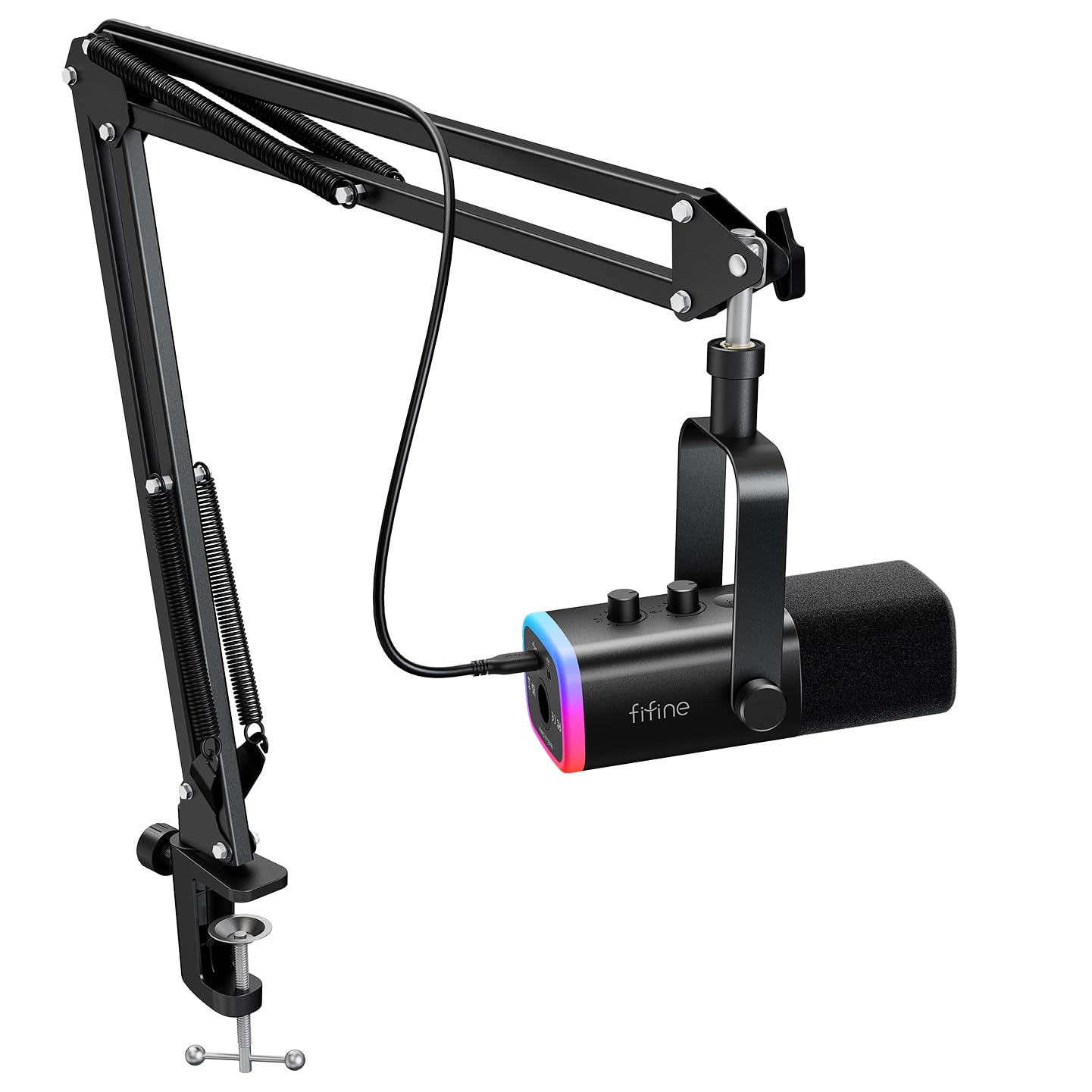
- Supports USB and XLR connections.
- Includes a boom arm stand, mute button, gain knob, and headphone jack for real-time monitoring.
- The package includes a USB cable, but not an XLR cable.
Best For: Streamers who want a desktop boom arm, dynamic mic, and both USB and XLR connectivity.
Samson Meteor Mic USB Condenser
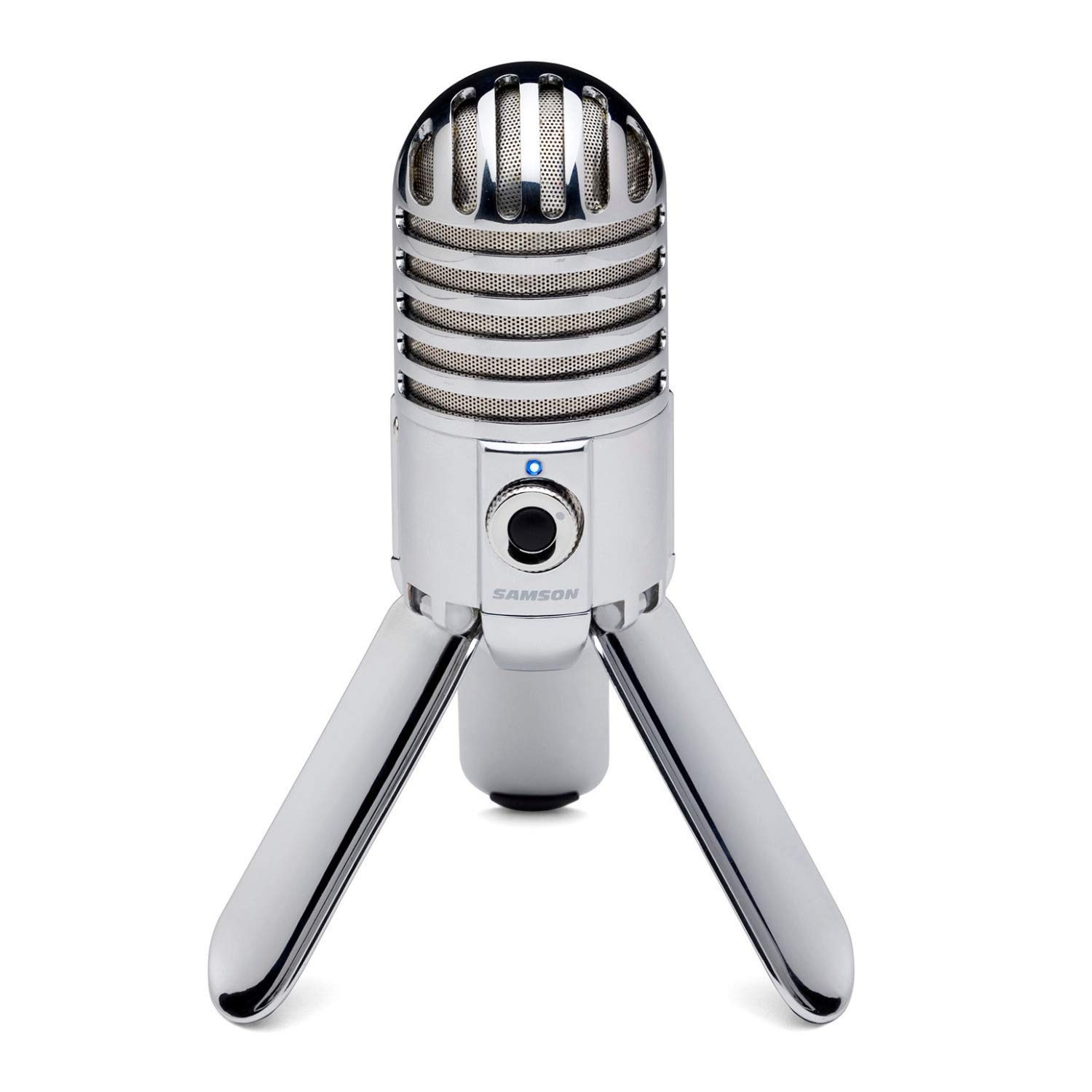
- Fold-back legs support positioning and transport.
- Has a cardioid pickup pattern and headphone output for monitoring.
- Uses a large 25 mm diaphragm and 16-bit resolution.
Best For: Desk users who want a portable condenser mic with fold-back legs and headphone monitoring.
FIFINE K683A USB Desktop Microphone

- Connects by USB and needs no extra driver.
- Includes gain, mute, and headphone monitoring controls.
- Comes with a foldable tripod and detachable pop filter.
Best For: PC users who want a plug-and-play condenser mic with easy controls and a pop filter.
FIFINE AmpliGame A8
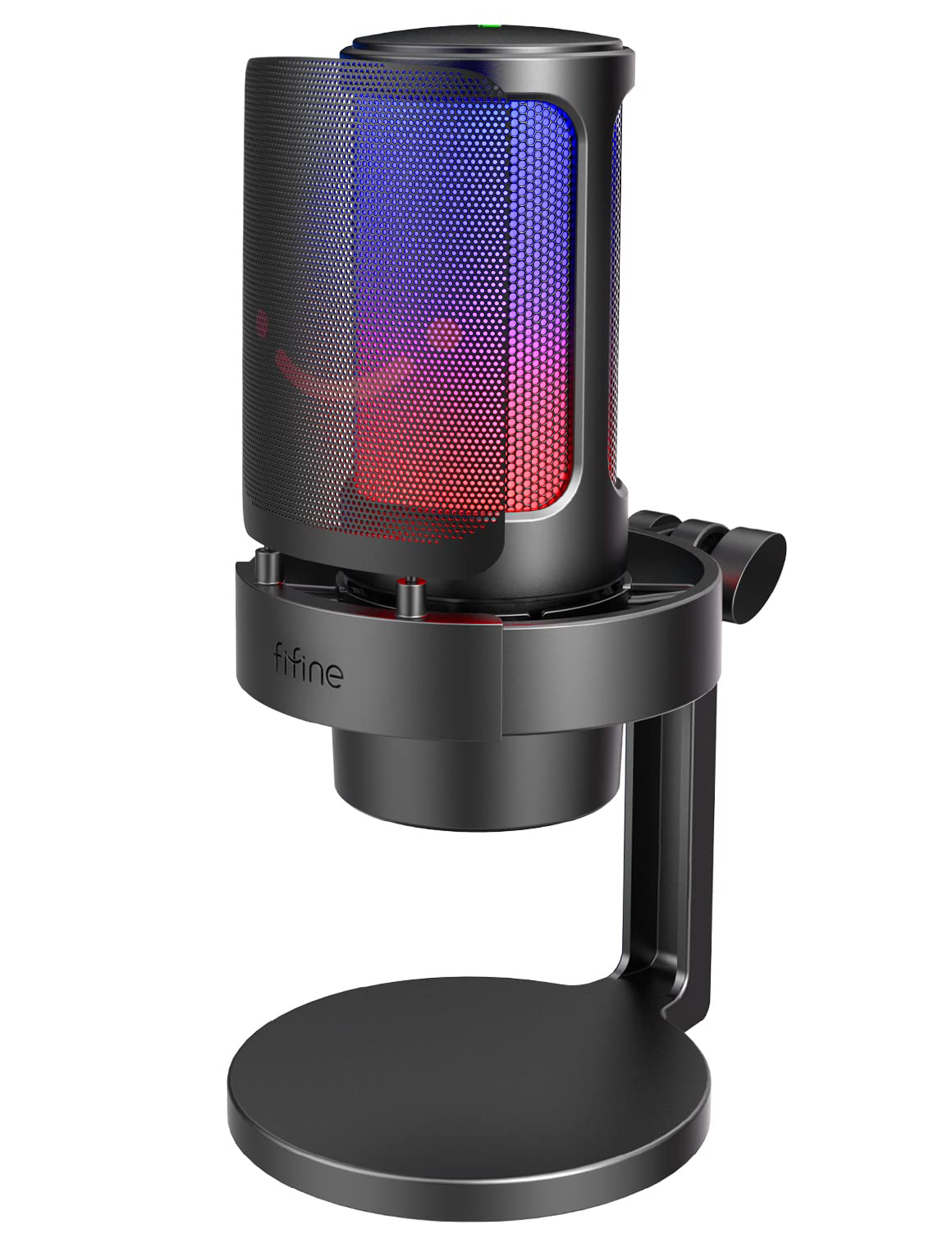
- RGB controls offer three modes and up to nine colors.
- Includes a gain knob, mute control, and headphone monitoring.
- A pop filter and shock mount are included.
Best For: Gamers and streamers who want adjustable RGB, headphone monitoring, and a tabletop stand.
Flexible USB and XLR Recording
Samson Q2U Dynamic USB-C/XLR Microphone
The Samson Q2U is a handheld dynamic microphone with USB-C and XLR connections, so it can plug directly into a computer or connect to compatible audio gear. That makes it a practical fit for someone starting with USB recording but interested in an XLR setup later.
The included tripod desktop stand, extension, mic clip, windscreen, and both cables cover the basic recording setup. It is less of a desk-mounted kit than options with a boom arm, so check whether its tabletop footprint and handheld format suit your workspace and recording style.
Best For: Podcasters who want a handheld dynamic mic and both USB-C and XLR connections.
| Pros | Cons |
|---|---|
|
|
Choose the Q2U if you want one microphone for a computer now and an XLR connection path later. Its handheld design and included tripod make it a different fit from boom-arm kits that keep a microphone suspended over a desk.
Check that your computer supports the USB-C interface described here and consider whether you prefer a handheld mic or a fixed desktop position. The supplied details do not identify onboard controls or a pickup pattern, so verify those points if they matter to your workflow.
Dynamic Mic with Onboard Monitoring
FIFINE Dynamic Microphone, XLR/USB Podcast Recording PC Microphone for Vocal Voice-Over Streaming, Studio Metal Mic with Mute, Headphone Jack, Monitoring Volume Control, Windscreen-Amplitank K688
The FIFINE AmpliTank K688 combines USB and XLR connections with a dynamic cardioid design aimed at vocal, voice-over, and streaming use. On USB, it has tap-to-mute, a gain knob, a headphone jack, and monitoring volume control.
The included shock mount, windscreen, USB cable, and adapter are useful basics, but the microphone does not come with a boom arm or mic stand. Its notes also recommend keeping it close while recording.
This suits a desk with an existing stand or arm and a speaker willing to work near the mic; check your mounting needs before buying.
Best For: Close-mic speakers who want USB convenience, XLR flexibility, and headphone monitoring.
| Pros | Cons |
|---|---|
|
|
Pick the K688 if you want a dynamic USB mic with an XLR option and direct headphone monitoring. It is especially suited to someone who already has a compatible stand or arm, because neither is included.
USB mode provides the listed onboard functions; plan to check your control needs if you intend to use XLR. The close-mic guidance also makes placement important, so make sure your desk setup can bring the microphone within comfortable speaking distance.
Dynamic Kit with Software Controls
MAONO XLR/USB Dynamic Microphone Kit, RGB Podcast Mic with Software, Mute, Gain Knob, Volume Control, Boom Arm for Streaming, Gaming, Voice-Over, Recording-PD200XS Black
The MAONO PD200XS pairs a dynamic microphone with USB and XLR connections and an adjustable boom arm. In USB mode, MAONO Link software supports EQ, limiter, and compressor adjustments, alongside RGB settings.
The mic also has a gain and headphone-volume knob, a mute key, and a headphone jack for monitoring. The package includes a shock mount, boom arm, and USB cable, but no XLR cable.
This is a capable feature set for a computer-based streaming or podcast desk, especially if software tuning matters; check whether you need to supply an XLR cable for an analog setup.
Best For: Streamers and podcasters who want a dynamic mic, boom arm, and USB software adjustments.
| Pros | Cons |
|---|---|
|
|
Choose the PD200XS if you want a dynamic mic kit with a boom arm and software-based tone controls for USB recording. Its XLR connection offers a path to mixers or interfaces, but the package does not include an XLR cable.
The software's EQ, limiter, and compressor options are specific to USB mode, so do not count on those controls carrying over to an analog setup. Compare this kit with simpler microphones if you do not expect to use software adjustments or the arm.
Boom-Arm Kit with USB/XLR Options
FIFINE XLR/USB Gaming Microphone Set, Dynamic PC Mic for Streaming Podcasting, Computer RGB Mic Kit with Boom Arm Stand, Mute Button, Headphones Jack, for Recording Vocal Voice-Over-AmpliGame AM8T
The FIFINE AmpliGame AM8T is a dynamic microphone kit with USB plug-and-play support and XLR connectivity for a mixer or sound card. Its boom arm provides desk positioning, while the microphone adds a mute button, gain knob, headphone jack, and headphone-volume control.
RGB lighting can be changed or turned off using the mic's button. The package includes the microphone, arm, clamp, USB cable, and manual, while the XLR cable must be supplied separately.
It suits a gaming or podcast desk with space for a clamp; check the desk thickness limit and your cable needs before choosing it.
Best For: Streamers who want a desktop boom arm, dynamic mic, and both USB and XLR connectivity.
| Pros | Cons |
|---|---|
|
|
The AM8T fits a desk-based creator who wants to position a dynamic microphone on an included arm and retain an XLR option. USB use provides direct computer setup and the listed controls; XLR use requires a separate cable.
Before buying, check that the desk edge works with the clamp and that the arm suits your workspace. If you prefer a self-contained tabletop microphone, a tripod model may take less setup, while this kit keeps the mic off the desk surface.
Foldable Desktop Condenser
Samson Meteor Mic USB Condenser Podcasting Podcast Recording Desktop Microphone
The Samson Meteor Mic is a USB condenser microphone with fold-back legs, a cardioid pickup pattern, and a headphone output for zero-latency monitoring. Its legs fold for easier transport, while the zinc die-cast body gives it a distinct all-in-one desktop form.
The product notes also list compatibility with an iPad when used with an Apple camera adapter or connection kit. Its 16-bit recording resolution is more modest than some USB options in this roundup, and its controls and exact current accessory package are not fully detailed.
It suits someone prioritizing a compact desktop mic over a boom arm.
Best For: Desk users who want a portable condenser mic with fold-back legs and headphone monitoring.
| Pros | Cons |
|---|---|
|
|
Choose the Meteor if you want a desktop USB condenser with foldable legs and headphone monitoring, especially if you value moving it between workspaces. It does not provide the boom-arm arrangement found in several kits here, and the notes list 16-bit resolution.
Check which accessories are included and whether your device needs an adapter. Its stand-alone design is convenient for a clear desktop, while an arm-mounted mic may be easier to position close to your mouth.
Desk Mic with Gain and Monitoring
FIFINE USB Desktop PC Microphone with Pop Filter for Computer and Mac, Studio Condenser Mic with Gain Knob Mute Button Headphone Jack for Gaming Streaming Recording YouTube, Extra USB-C Plug-K683A
The FIFINE K683A is a USB desktop condenser microphone with a cardioid pattern, gain knob, instant mute, and a headphone jack for real-time monitoring. It includes a foldable tripod stand, detachable pop filter, and a cable that works with USB-A or USB-C ports.
The all-metal microphone provides a compact tabletop alternative to boom-arm kits. It is incompatible with Xbox, so check platform fit before buying.
The included controls and stand suit meetings, streaming, and voice recording, while the fixed desktop position may be less flexible than an arm if you need to move the mic around your workspace.
Best For: PC users who want a plug-and-play condenser mic with easy controls and a pop filter.
| Pros | Cons |
|---|---|
|
|
The K683A suits a PC or Mac user who wants a simple desktop microphone with gain, mute, monitoring, and a pop filter in the box. Its tripod keeps setup compact, but it does not offer the positioning flexibility of an arm-mounted kit.
Confirm that your system is among the listed compatible devices; Xbox is explicitly excluded. If you record at a desk and prefer controls on the mic over software, this configuration covers the main conveniences without adding XLR complexity.
RGB Desktop Mic with Hardware Controls
FIFINE Gaming Microphone, USB PC Mic for Streaming, Podcasts, Recording, Condenser Computer Desktop Mic on Mac, with RGB Control, Mute Touch, Headphone Jack, Pop Filter, Stand-AmpliGame A8
The FIFINE AmpliGame A8 is a USB condenser microphone built for streaming, gaming, and voice recording. It combines a cardioid pickup pattern with a gain knob, one-tap mute, a headphone jack, and controllable RGB lighting with several modes.
A pop filter and shock mount are included, and its base stand can be adjusted for recording position. The notes suggest speaking from a close range, so placement matters.
This desktop configuration avoids a boom arm but occupies desk space; compare that tradeoff with an arm kit if your keyboard and other equipment leave little room for a stand.
Best For: Gamers and streamers who want adjustable RGB, headphone monitoring, and a tabletop stand.
| Pros | Cons |
|---|---|
|
|
Choose the A8 if a desktop gaming setup benefits from RGB controls, on-mic gain and mute, and headphone monitoring. Its stand, shock mount, and pop filter provide a desk-based arrangement, though the suggested close recording range means you should have space to position it comfortably.
The supplied details do not identify an XLR option, so treat it as a USB choice when planning your setup. If you want the mic off the desk, consider a boom-arm kit instead.
How to Choose Usb Microphones Under 100
How We Picked USB Microphones Under 100
We focused on microphones whose supplied details establish USB computer connection and fit common work such as streaming, podcasting, voice-over, gaming, or calls. The selection spans dynamic and condenser models, handheld and tabletop forms, and kits with included arms or tripods.
We also considered practical differences that affect setup: USB-C versus USB-A cable options, XLR connections for adding compatible recording gear, hardware mute and gain controls, headphone monitoring, and accessories in the box. Models that mainly target dictation or presentation use, wireless operation, or color variants of an already represented model were left out.
Comparing USB Microphones Under 100
The main split is between straightforward USB microphones and dual-connection models. The Samson Q2U and FIFINE AM8 or K688 options offer XLR alongside USB; the Q2U includes a tripod and cables, while the K688 requires separate mounting hardware and the AM8T includes a boom arm.
Among the USB-only styles, the K683A and Meteor sit on the desk, while the PD200XS and AM8T kits include arms.
Pickup and controls also shape fit. Dynamic options in this group include the Q2U, PD200XS, AM8 family, and K688; condenser choices include the K683A, Meteor, and A8.
The JLab Talk Pro has four pickup modes for varied recording patterns, while the A8 and K683A focus on cardioid pickup. Compare the actual stand, cable, and control package with how and where you record.
| Product | Standout features | Best for |
|---|---|---|
| Samson Q2U Dynamic USB-C/XLR MicrophoneCheck Price |
| Podcasters who want a handheld dynamic mic and both USB-C and XLR connections. |
| FIFINE AmpliTank K688Check Price |
| Close-mic speakers who want USB convenience, XLR flexibility, and headphone monitoring. |
| MAONO PD200XSCheck Price |
| Streamers and podcasters who want a dynamic mic, boom arm, and USB software adjustments. |
| FIFINE AmpliGame AM8TCheck Price |
| Streamers who want a desktop boom arm, dynamic mic, and both USB and XLR connectivity. |
| Samson Meteor Mic USB CondenserCheck Price |
| Desk users who want a portable condenser mic with fold-back legs and headphone monitoring. |
| FIFINE K683A USB Desktop MicrophoneCheck Price |
| PC users who want a plug-and-play condenser mic with easy controls and a pop filter. |
| FIFINE AmpliGame A8Check Price |
| Gamers and streamers who want adjustable RGB, headphone monitoring, and a tabletop stand. |
Choosing a USB Microphone for Podcasting
For solo speech, consider how close you can place the microphone and whether the stand suits your desk. The K688 notes recommend close recording, and the K683A includes a tabletop tripod.
The AM8T and PD200XS include boom arms, which can bring a mic toward you while leaving the desktop clearer; check clamp compatibility and available space.
If you record conversations or different kinds of material, pickup pattern options matter. The JLab Talk Pro offers cardioid, omnidirectional, stereo, and bidirectional modes.
A fixed cardioid design is a more focused choice for one speaker. Think about the number and position of sound sources before paying for patterns you may not use.
USB Mic Controls, Cables, and Upgrade Paths
Hardware controls help during live calls and streams. The K683A, A8, and several dynamic mics include mute or gain controls, while the K683A, A8, and K688 include headphone monitoring details.
Check whether functions apply in USB mode: the PD200XS software audio controls and the K688 onboard functions are tied to USB in the supplied details.
An XLR connector is useful if you plan to connect a compatible mixer or audio interface, but it does not replace the USB connection for direct computer use. Check the included cables carefully: the Q2U includes USB-C and XLR cables, while the AM8T and PD200XS omit an XLR cable, and the K688 variants omit both XLR cable and stand.
Budget for those pieces if your setup needs them.
Who Should Buy Which USB Microphone?
Choose the Samson Q2U for a handheld dynamic mic with both USB-C and XLR and a supplied desktop tripod. The PD200XS fits a streamer who wants a boom arm and USB software adjustments, while the AM8T adds a boom arm and hardware controls with USB/XLR connections.
For an uncomplicated desktop setup, compare the K683A's tripod and controls with the Meteor's foldable legs and monitoring output. The JLab Talk Pro suits varied recording patterns, and the K688 makes sense if you already have a stand and want its USB monitoring controls plus XLR flexibility.
Check platform compatibility, mounting pieces, and cables before ordering.